YouTube post-production, in one desktop app

Stop rebuilding the same video five different ways.

YouPush turns one finished long-form video into titles, descriptions, thumbnails, captioned Shorts, and scheduled YouTube uploads, all on your own computer.

YouPush metadata workspace showing a generated title, description, tags, and selected thumbnail
Mac and Windows Original footage stays local One-time paid licenses

From finished edit to a scheduled week.

Drop in the video you already made. YouPush handles the repetitive packaging while you remain the editor and final decision-maker.

01

Choose the finished video

Start from the long-form file on your computer.

02

Generate the package

Build editable metadata, thumbnail options, and Shorts.

03

Review every draft

Change the writing, frames, captions, and schedule.

04

Upload when it is ready

Send the approved package directly to YouTube.

A finished long-form video opened as a project in YouPush Studio
Start with the finished video already on your computer.
YouPush showing suggested thumbnail frames and editable thumbnail text
Review suggested frames and thumbnail treatments in the same project.

One project instead of five disconnected jobs.

The point is not more AI output. It is fewer handoffs, exports, browser tabs, and repeated explanations of the same video.

The usual rebuild

  • Rewrite the topic as metadata
  • Search for thumbnail frames
  • Find short-form moments again
  • Caption and format each clip
  • Re-enter everything in YouTube

The YouPush project

  • One source video and transcript
  • One place to review the package
  • Editable drafts, not automatic publishing
  • Direct upload and scheduling
  • Your footage remains on your computer

What YouPush handles

The long-form upload

Package the video you actually made.

Generate title ideas, a description, tags, and thumbnail choices from the transcript. Review and rewrite any field before upload.
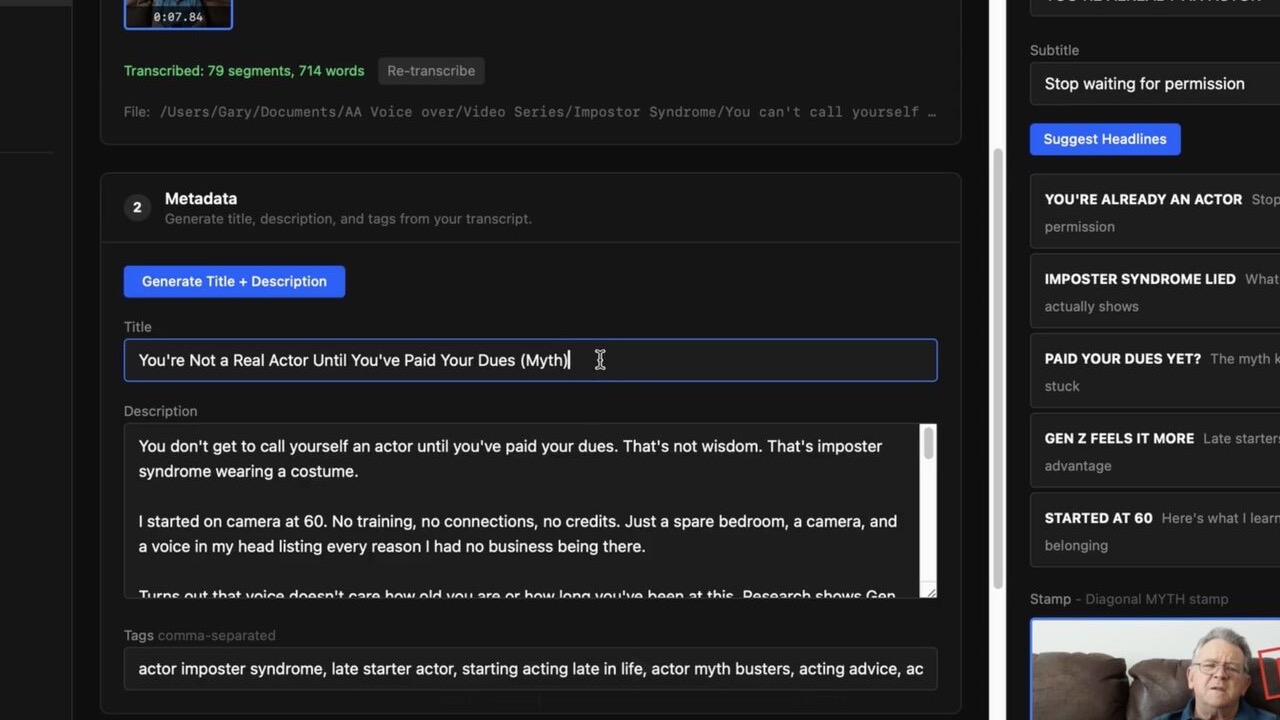
Generated YouTube title, description, and tags inside YouPush
Generated from the source transcript, with every field still editable.

Reusable Shorts

Find the moments worth cutting.

Review suggested clips, adjust the selection, edit captions, and render vertical Shorts from the same source video.
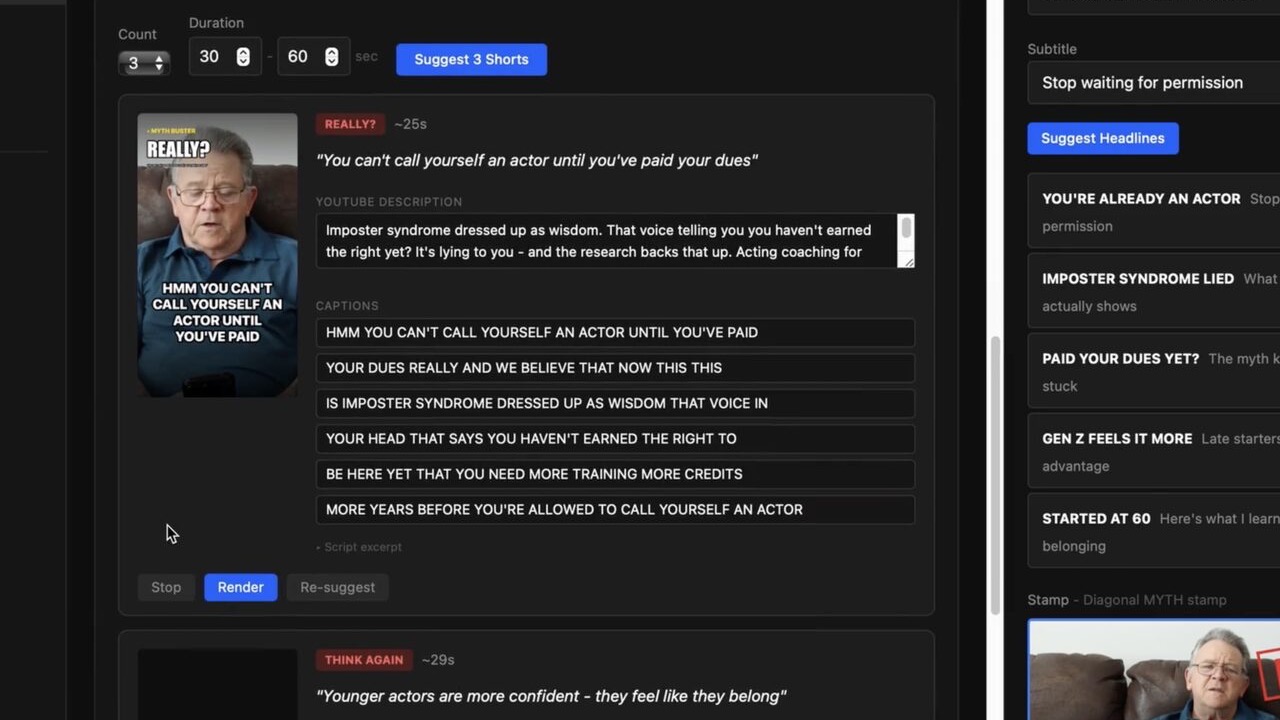
A selected vertical clip with editable description and captions inside YouPush
The selected moment, YouTube description, and caption lines in one review surface.

Publishing control

See the queue before YouTube does.

Keep the final say over what uploads and when. Nothing publishes simply because the software generated it.

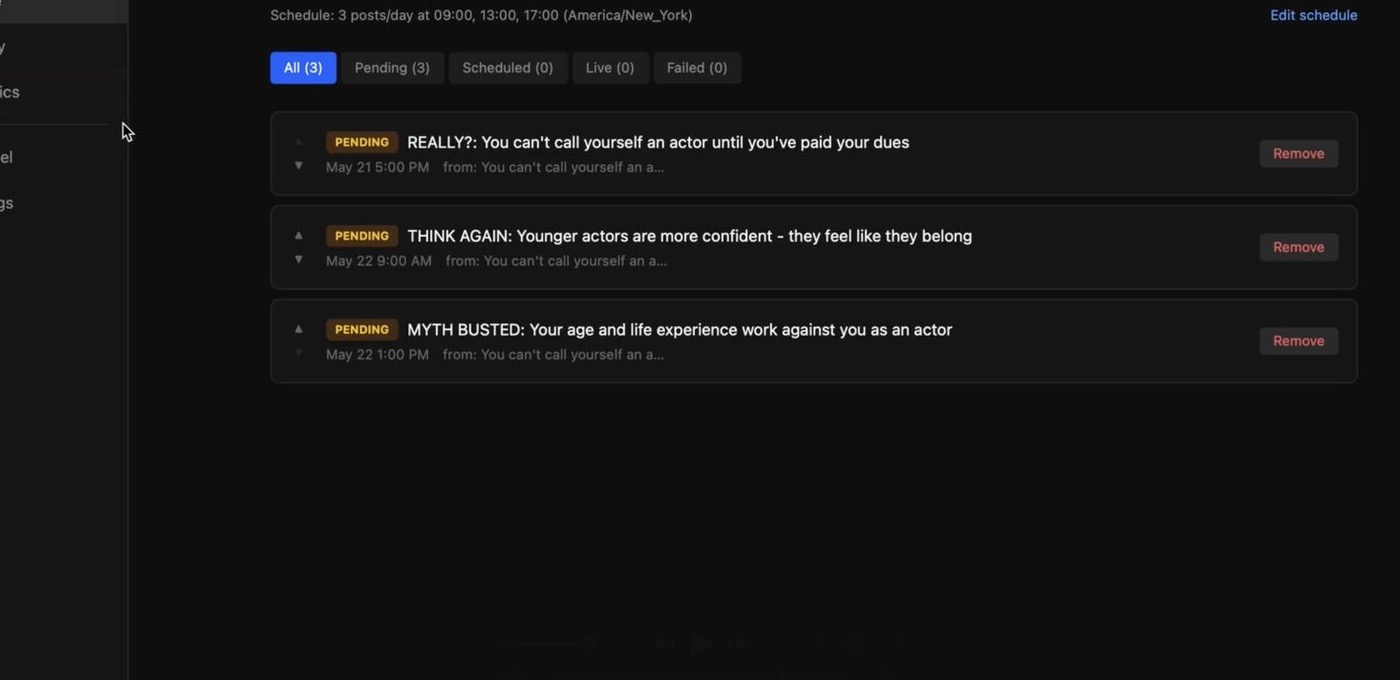
Three pending posts in the YouPush scheduled upload queue
Three approved posts waiting in a visible publishing queue.

A practical fit, not a magic button

You should know the trade-offs before downloading.

YouPush is built primarily for creators packaging talking-head and creator-led long-form video. It gives you a connected workspace and strong first drafts, not a promise that every piece of footage edits itself perfectly.

  • Your original video stays local. Transcription and writing use the providers you connect.
  • You bring OpenAI and Anthropic API keys. Provider usage is billed directly to you.
  • The free tier has limits. It includes monthly caps and watermarked output.
  • You review the work. Titles, captions, frames, and upload timing remain editable.

Try the workflow before buying it.

Start free. Move to a one-time license when the watermark and monthly limits become the part slowing you down.

Free

$0

No credit card

  • 3 videos per month
  • 10 Shorts per month
  • Watermarked output
  • 1 YouTube channel
Try free

Studio

$249

One-time purchase

  • Everything in Solo
  • 3 YouTube channels
  • 3 machine activations
  • Priority support
Choose Studio

Questions that matter before you try it.

Does YouPush upload my original video to its own servers?

No. The original media is processed on your computer. Selected provider services receive the inputs needed for transcription or writing, and approved uploads go to YouTube.

Will it publish AI output without my approval?

No. Titles, descriptions, tags, thumbnails, Shorts, captions, and scheduling remain reviewable and editable before publishing.

Why do I need my own API keys?

YouPush uses your OpenAI and Anthropic accounts for transcription and writing. That keeps provider usage under your control instead of bundling it into another monthly software subscription.

What happens after the free tier?

You can keep using the capped, watermarked free version or purchase Solo or Studio once. Provider API usage remains separate.

Your next video is enough to test the whole workflow.

Try YouPush free

Try YouPush free.

Choose the computer where you want to try YouPush. No credit card is required.

macOS 14+ · Intel and Apple Silicon